


Findio: GPS phone tracker
4.1483.00 Reviews
App Specs
- Version
- 2.0.1
- Updated On
- License
- Free
- Downloads
- 1,000,000+
- Developer
- Fortunex Limited
- Categories
- Parenting
- Platform
- Android, iOS
Screenshots

 Analysis by AppCompare
I find location-sharing apps most useful when they solve a small, recurring household problem rather than turn every trip into a check-in. A child’s walk home, a family member arriving late, or coordinating a pickup can all create uncertainty that a quick location check might ease. Eyezy: GPS phone tracker is aimed at that kind of connection, but I’d approach it as a tool for agreed, practical coordination—not as a substitute for trust or a conversation.
A shared phone needs clear boundaries
Before adding a device, I’d make sure the person using it understands what is being shared and why. That matters especially when a phone is used by more than one person: a location belongs to the device, not necessarily to whoever is carrying it at that moment. If a parent and child take turns using one phone, for example, the map could point to the phone’s current holder rather than the person a family member expects to find.
I’d also agree on when checking the app is appropriate. A simple plan—such as using it to confirm that someone reached a destination—keeps location access focused on coordination. Constantly watching a map can create more worry than it resolves, particularly when a phone is left behind, has no connection, or is being carried by someone else. The useful question is not just “Can I see a location?” but “What will I do with that information?”
Make the location check part of a routine
One realistic use is a parent coordinating an after-school pickup. If the child is old enough to travel part of the way independently, a family could use location sharing to help the parent decide when to leave, then switch back to ordinary messages or calls for anything that needs explanation. The map can answer where the phone appears to be; it cannot explain why a route changed or whether the child needs help. I would treat it as one piece of a plan, not the whole plan.
For shared households, it can also help with an arriving relative or a family member travelling between appointments. Rather than sending repeated “Where are you?” messages, someone can check the location when timing matters. This is most helpful when everyone has agreed that the check is welcome. If the household mainly needs occasional arrival updates, a simple text may be less intrusive and easier than keeping a tracking routine running.
What to consider before choosing it
Eyezy is a parenting app from Fortunex Limited. Its focus is broader than a basic map-sharing tool: the original review describes location tracking alongside geofences and monitoring options such as call logs, messages, and social activity. That breadth may appeal to a parent who wants more than a one-time location check, but it also makes the consent conversation more important. I would not assume that every household needs every kind of monitoring.
Compared with the usual alternatives, the choice comes down to scope. A built-in family location-sharing option or a messaging app’s location feature may be enough when the only goal is to coordinate arrival. Those options can feel simpler for adults who want to share voluntarily and occasionally. Eyezy makes more sense to consider when a parent is looking for a dedicated parental-control approach and values having location-related tools in one app. If the household wants only a temporary “I’m on my way” update, a dedicated tracker may be more than it needs.
Worth Reading Before You Choose

Switching to Android Auto Means Rethinking Your Driving Routine

Google Calendar Makes a Crowded Week Easier to Manage

Baby Panda World Brings Quick Play to Modern Phones, but Its Game Library Feels Busy

ESPN’s Live Game View Makes Following Close Games Easier

QuizzLand Review: A Good Fit for Short Trivia Breaks, Not Every Player

Basketball Stars: Multiplayer Is Fast, but Can It Recover When Matches Go Wrong?
There is a practical trade-off here: more monitoring can provide more context to a parent, but it can also make a young person feel watched. I’d set expectations before setup, explain who can view information, and revisit the arrangement as a child becomes more independent. A tracking app should support a safety agreement, not quietly replace one.
Getting Started with Eyezy
Diving into Eyezy was a breeze. The installation process was straightforward, and setting up an account was as simple as pie. Once you're in, the app greets you with a clean interface that's easy to navigate. No clutter, no fuss—just straightforward functionality.
One thing I noticed right off the bat was how intuitive the app is. You can quickly add the devices you want to track, and within moments, you're all set. The app provides a seamless experience, allowing you to focus on what really matters: staying connected with your loved ones.
Features That Stand Out
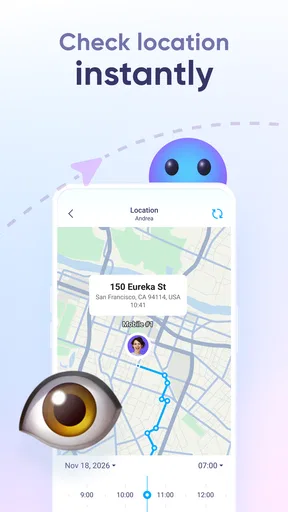
Now, let’s talk features, because that’s where the magic happens. Eyezy boasts a plethora of tools designed to make tracking as efficient as possible. The real-time GPS tracking is top-notch. It’s like having a mini GPS device in your pocket, giving you updates on the go.
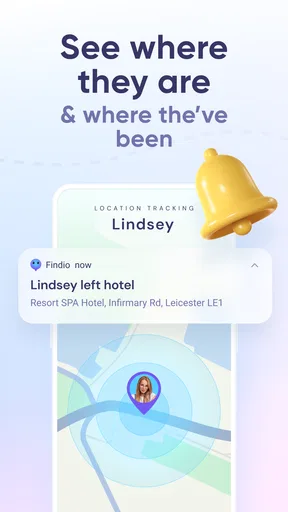
The app also lets you set up geofences, which is pretty cool. You can define safe zones for your family members, and if someone steps out of this zone, you get an instant notification. It’s a great way to ensure peace of mind without having to constantly check the app.
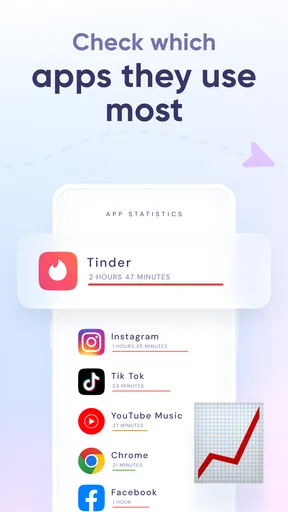
In addition to tracking locations, Eyezy offers some handy extras. You can monitor call logs, view messages, and even check social media activity. It’s like having a Swiss Army knife for digital monitoring.
Performance and Reliability
When it comes to performance, Eyezy doesn’t disappoint. The app runs smoothly without any noticeable lag, and the GPS accuracy is impressive. I tested it in various locations, both urban and rural, and the results were consistently reliable.
Battery life is a common concern with GPS apps, but Eyezy manages to keep consumption in check. It’s optimized to run in the background without draining your phone’s battery, which is a huge plus in my book.
Even with a smooth experience, I’d keep a backup routine for important trips. A phone can be switched off, left at home, or lose its connection, so a map should never be the only way a family knows someone is safe. For a child travelling alone, I’d agree on a check-in message or a specific meeting point as well. The app can reduce uncertainty, but it cannot guarantee that a person is reachable or explain a sudden change in plans.
Account choices, age, and trust
Eyezy is free to install, and it has a 4.1 average rating from around 3,200 ratings, with more than a million installs. In-app purchases range from $2.99 to $99.99 per item, so I’d check the available options in the app before deciding whether its paid elements fit the household budget. The current version is 1.10.0, it supports devices running Android 8.0 or later, and its content rating is Everyone. That age rating describes suitability of the app’s content; it does not mean every monitoring choice is appropriate for every child.
For a younger child, a parent may reasonably manage a device as part of a broader safety arrangement. With a teenager, I’d be more deliberate: explain what is monitored, what location sharing is for, and what would lead to a check-in. Secret monitoring can undermine the very trust a family wants to build. If a young person needs more privacy and the main concern is simply getting home safely, a mutually agreed location-sharing option may be a better fit than a broader monitoring app.
One useful setup habit is to decide who owns the account and who is expected to carry each tracked phone. That avoids a common household mix-up: a parent checks the map, sees a familiar address, and assumes the child is home when the device was actually left there. It also helps when a device is borrowed or shared. The app can locate a phone, but the family still has to connect that phone to the right person and situation.
I’d also keep the purpose narrow at first. If the immediate need is confirming arrival at school or a relative’s home, start with that routine and see whether it genuinely helps. Geofences can reduce repeated manual checking when a family has agreed on a safe zone, but alerts are only useful if someone knows how to interpret them. A boundary crossing might reflect a changed plan, a detour, or the phone travelling separately from its owner; it should prompt a sensible check-in, not an automatic conclusion.
Who will find it useful—and who may not
If you’re a parent wanting to ensure your child's safety or just someone who wants to keep connected with family, Eyezy can be a valuable tool. It’s user-friendly, packed with useful features, and offers peace of mind by keeping you informed about the whereabouts of your loved ones.
While it might not be for everyone, especially if you’re wary of privacy concerns, the app offers enough transparency to make users feel secure. Plus, with its robust security measures, your data remains protected.
I’d be cautious about relying on it in a household where people have not agreed to tracking, where one device routinely changes hands, or where a simple location share would answer the need. It may also be the wrong choice for someone who wants no monitoring beyond occasional messages. In those cases, a less involved alternative can be easier to explain and maintain. Conversely, a parent who wants a dedicated tool and is prepared to set clear boundaries may appreciate having location and other monitoring options available together.
Before installing, it’s worth asking a few practical questions: who will carry the tracked device, who will have access to the account, and what should happen if a location looks unexpected? Also decide whether the household needs a recurring arrangement or only temporary sharing for a particular trip. These choices matter as much as the interface, because they determine whether the app reduces friction or creates more of it.
In conclusion, Eyezy: GPS phone tracker has proven to be a reliable companion for those looking to keep an eye on their loved ones. It combines ease of use with a suite of powerful features, making it a worthy addition to your smartphone toolkit. Whether you’re a tech novice or a seasoned user, Eyezy has something to offer.
So, if you’re in the market for a GPS tracking app that won’t let you down, give Eyezy a try. It might just be the app you didn’t know you needed.
My household verdict is to choose it for a clear, shared safety purpose—not simply because tracking is possible. Its appeal lies in combining a location-focused experience with broader monitoring tools, while its main trade-off is that those tools call for careful boundaries. If your family can agree on who is tracked, why, and how the information will be used, Eyezy may make everyday coordination easier. If that agreement is not there, I’d start with a straightforward call or voluntary location share instead.
Pros
- Easy to install and setup.
- Real-time location updates.
- User-friendly interface.
- Comprehensive activity logs.
- Cross-platform compatibility.
Cons
- Requires internet for tracking.
- Limited free features.
- May affect battery life.
- Subscription can be pricey.
- Privacy concerns for some users.
FAQs for Findio: GPS phone tracker
What is Eyezy and how does it work?
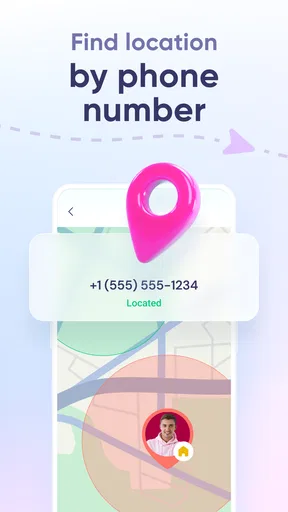
Eyezy is a GPS phone tracker app designed to help users monitor the location of their loved ones in real-time. The app uses the GPS capabilities of smartphones to provide precise location information. Once installed, you can view the current location and location history through a user-friendly dashboard, ensuring peace of mind.
Is Eyezy compatible with both Android and iOS devices?
Yes, Eyezy is compatible with both Android and iOS devices. The app is designed to work seamlessly across different platforms, ensuring users can track devices regardless of the operating system. However, it's essential to check the specific device requirements on the download page to ensure full compatibility.
How secure is the data collected by Eyezy?
Eyezy prioritizes user privacy and data security. All location information is encrypted and stored securely, ensuring only authorized users can access the data. The app complies with relevant data protection regulations, offering peace of mind that your information is handled responsibly.
Can Eyezy be used without the knowledge of the device owner?
Eyezy should be used ethically and legally, meaning you must have consent from the device owner before installation. Using the app without the owner's knowledge may violate privacy laws. It's crucial to ensure transparency and obtain permission to avoid legal repercussions.
What are the subscription options available for Eyezy?
Eyezy offers several subscription plans to cater to different needs, including monthly, quarterly, and annual options. Each plan provides access to all features, including real-time tracking and location history. Users can choose a plan based on their budget and monitoring requirements, with options to upgrade or cancel as needed.


